CONTACTS
The Contacts panel provides the ability to view all contacts in Catalyst regardless of segment, as well as detailed information about a specific contact. It includes a search function, and contact list that displays each contact's (if available) name, phone number, email address, license plate, and RFID number. Each contact name is a link that opens the Contacts Profile panel with the following information for the contact: Email address, Phone number, Address, SMS opt-in status (Not opted-in, Opted-in), Email status (Subscribed or Unsubscribed), RECENT MESSAGES, ACTIVE PLANS, INACTIVE PLANS, VEHICLES, PAYMENT, and TRANSACTIONS.
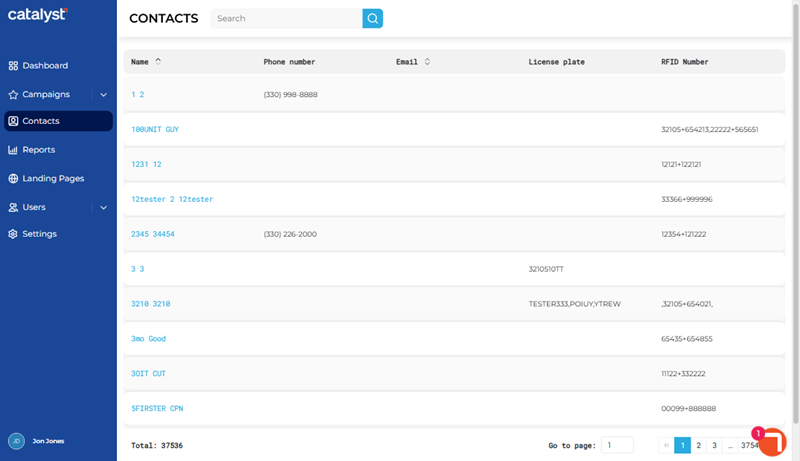
Search
The search tool returns all contacts if the search value matches part or all of a contact's Name, Phone number, Email, License plate, or RFID Number. Search returns matches for any part of these values, for example, a search for is would return contacts with Name set to "Lisa Smith", "Issa White", as well as a contact with an email address that includes "...@list.org".

- The list auto-updates as soon as one (1) character is entered in the search tool; selecting Enter or the search icon isn't necessary to trigger the system to search (although selecting either will trigger the search function slightly faster).
- Restore the list to all contacts by clearing the search input.
Contacts List
The contacts list displays all existing contacts.
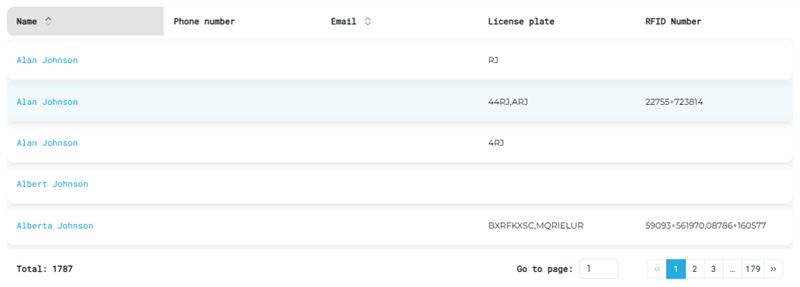
Name
The Name column provides the first name and last name of each contact. Select a contact's name to view detailed information about the contact in the Contact Profile panel.
Phone number
The Phone number column provides the contact's phone number, if available.
The Email column provides the contact's email address, if available.
License plate
The License plate column provides the contact's license plate, if available.
RFID Number
The RFID Number column provides the contact's RFID number, if available.
Total
The Total value at the bottom of the panel provides the cumulative number of contacts.

List Navigation
The list navigation tools at the bottom of the panel provide the ability to navigate the list of contacts.
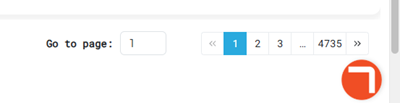
- Use the Go to page function to open a specific page by entering it in the provided field.
- Use the numeric page functions to navigate one page at a time.
- Use the last page >> and first page << functions to navigate to the end or start of the list.
Updated: 081026