TENANT ADMIN (ROLES & PERMISSIONS)
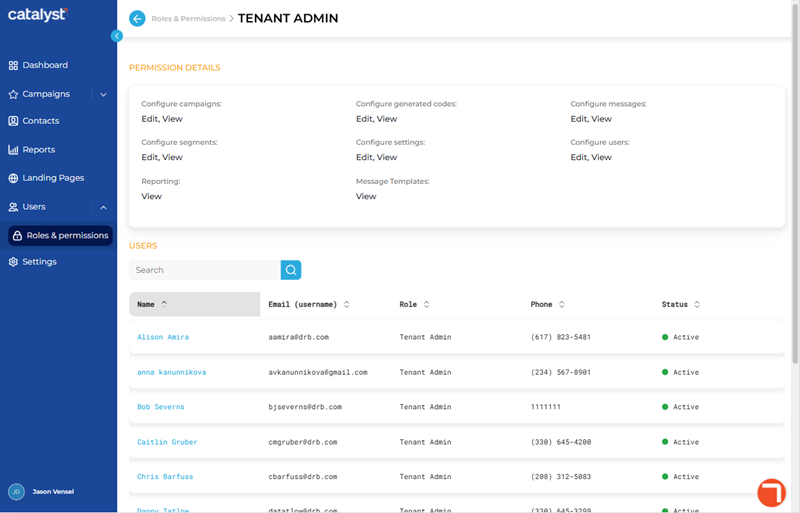
The Tenant Admin panel, accessible by selecting the Tenant Admin role from the list of roles on the Roles & Permissions panel, provides a list of all Catalyst users that are assigned this role. It consists of two (2) sections: Permission Details and Users. It identifies the Tenant Admin role's permissions and all users to which the role is assigned. This role provides permission to view and use all Catalyst functions (the Power User role provides less permissions, the User role provides the least permissions). Note that the permission settings for this, or any, role can't be edited.
PERMISSION DETAILS
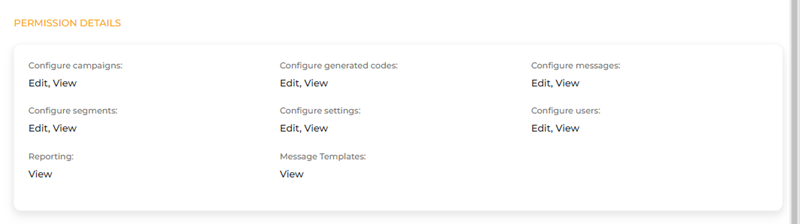
The Permission Details section identifies the allowed actions for each permission for the Tenant Admin role.
|
Permission |
View |
Edit |
Description |
|
Configure campaigns |
|
|
Users can add and configure new campaigns and edit existing campaigns. |
|
Configure generated codes |
|
|
Users can edit (upload) existing generated codes |
|
Configure messages |
|
|
Users can add and configure new messages and edit existing messages. |
|
Configure segments |
|
|
Users can add and configure new segments and edit existing segments. |
|
Configure settings |
|
|
Users can view and configure the time zone in the Settings panel. |
|
Configure users |
|
|
Users can add and configure new users and edit existing users in the Users panel. |
|
Reporting |
|
|
Users can view (generate) reports. |
|
Message Templates |
|
|
Users can view landing pages. |


USERS
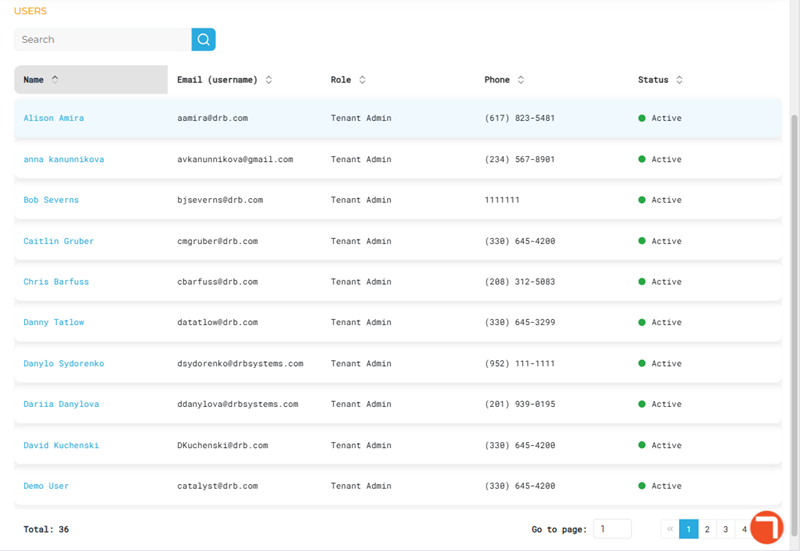
The Users section lists all users that belong to the Tenant Admin role.
Search
Use the search tool to locate a specific user, by Name, assigned to the Tenant Admin role.
- The list auto-updates as soon as one (1) character is entered in the search tool; selecting Enter or the search icon isn't necessary to trigger the system to search (although selecting either will trigger the search function slightly faster).
- Search returns matches for any part of the name, for example, a search for ke would return all of the following users: Mike Smith, Keith Stone, and Mary Updike.
- Restore the list to all users by clearing the search input.
Users List
The users list contains all users assigned to the Tenant Admin role. Select a user's name to open their profile in the User Profile panel.
Name
The First name and Last name of the user, as configured in their profile in the User Profile panel. Select a user's name to open their profile in the User Profile panel.
Email (username)
The Email address (username) of the user, as configured in their profile in the User Profile panel.
Role
The Role of the user, as configured in their profile in the User Profile panel.
Phone
The Phone of the user, as configured in their profile in the User Profile panel.
Status
The Status of the user (Active or Inactive), as configured in their profile in the User Profile panel.
Total
The Total value at the bottom of the panel provides the cumulative number of users.

List Navigation
The list navigation tools at the bottom of the panel provide the ability to navigate the list of users.
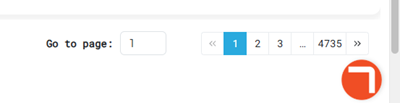
- Use the Go to page function to open a specific page by entering it in the provided field.
- Use the numeric page functions to navigate one page at a time.
- Use the last page >> and first page << functions to navigate to the end or start of the list.
Updated: 081026