Catalyst R24 Release Notes
Catalyst release 24 includes the enhancement(s) and/or resolved issue(s) listed below.
Please contact our Catalyst support team at CatalystSupport@drb.com with any questions.
View previous Catalyst release notes here.
Specifications
|
Specification |
Value |
|
Name |
R24 |
|
Release Type |
Full |
|
Version |
1.24 |
|
Availability |
010726 |
Enhancement(s)
Campaigns
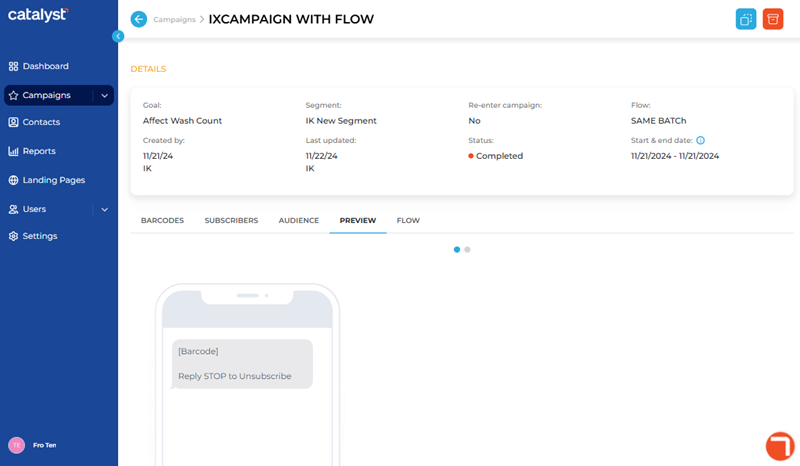
- The Campaign Details panel, which contains a campaign's settings and configuration, is redesigned and reorganized so the bottom portion includes tabs to select and view the campaign's , , , , and . Note: The tabs that are available depend on the campaign's status. For example, a campaign with a Status of Draft may only have tabs for , , and .
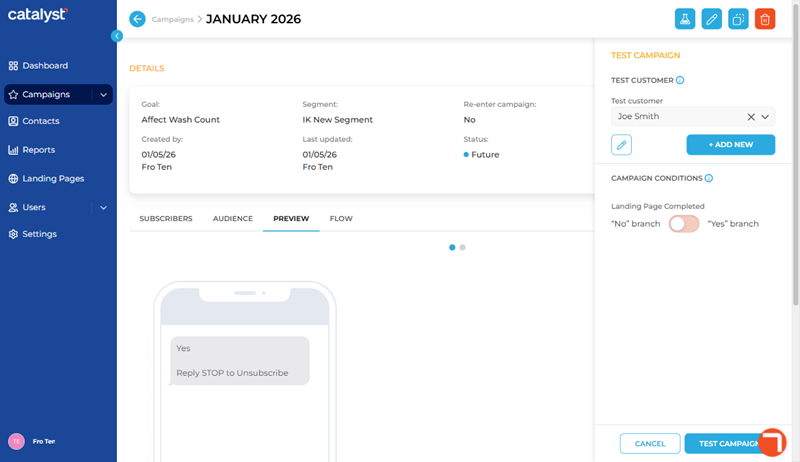
- The Campaign Properties panel now provides users the ability to fully test a Draft, Future, or Active campaign. From the Campaign Properties panel, select the Test Campaign function in the top right corner to open the Test Campaign side-menu. Progress through replies or landing‑page submissions and exercise every if/else branch in the campaign's flow. Tests run almost instantly, ignore time windows and message caps, and won’t make the test contact eligible for real customer segments.
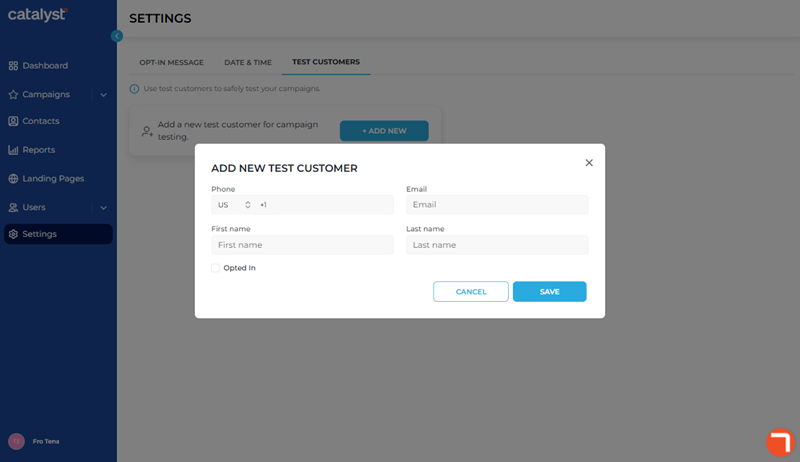
- The Settings panel now provides the ability to create and manage test customers for testing campaigns (see more above) via a tab (available to Tenant Admins and Power Users) with configurable fields for Phone, Email, First name, Last name, and Opted in status. Test contacts are available only to the user who creates them.
Resolved Issue(s)
- An issue that could prevent an SMS campaign from being delivered to customers is resolved.
- An issue that could prevent a campaign report from being generated for a specific campaign is resolved.
- An issue that could result in incorrect language appearing on an opt-in landing page is resolved.
- General fixes.