PROFILE (CURRENT USER)
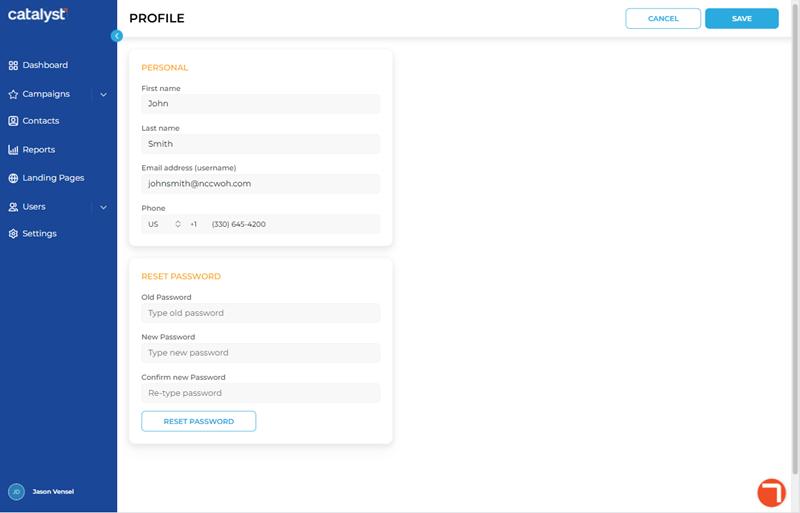
The Profile panel, accessible by selecting Profile from the current user menu from the Catalyst main menu, contains the current Catalyst user's profile settings and a password reset function. It consists of two (2) sections: Personal and Reset Password.
Important: A user's current password can't be viewed anywhere in Catalyst. A user's password can only be changed or reset from the Profile panel in Catalyst or the Forgot Password function on the Catalyst log in. Note that a user's password can't be changed or reset from the User Profile panel.
PERSONAL
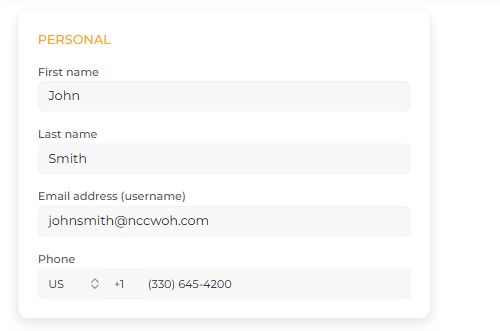
The Personal section contains the user's name, email address (Catalyst username), and phone number.
First name
The First name setting provides the ability to specify, or change, the user's first name. The maximum length is 100 characters.
Last name
The Last name setting provides the ability to specify, or change, the user's last name. The maximum length is 100 characters.
Email address (username)
The Email address (username) setting provides the user's email address, which is also the username they use when signing in to Catalyst.
Important: It must be unique; it can't be identical to any other user's email address.
Phone
The Phone setting provides the user's phone number, with country code (selected from a pre-defined list). The phone number must be numeric values only, with no hyphens and no spaces.
RESET PASSWORD
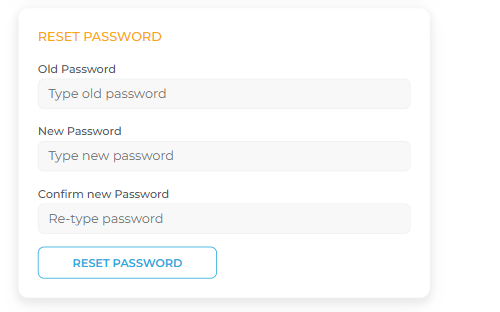
The Reset Password section provides the ability to reset the current signed in user's password. Note that the passsword reset process requires the user to enter their existing password.
Old Password
The Old Password setting provides a secure method for verifying the signed in user is the only user who can change the password.
New Password
The New Password setting provides the ability to specify the new password.
Confirm new Password
The Confirm new Password setting provides the ability to re-enter the new password for confirmation before changing the password.
RESET PASSWORD
The function provides the ability to change the user's current password. The password reset process involves entering the current password, entering the new password, re-entering the new password, and then selecting the function.
Updated: 081026