Generate the Throughput and Delivery Report
Use the following steps to generate the Throughput and Delivery report, which provides progress and message delivery metrics for all campaigns. Once the report is generated, it can be exported and downloaded to a PDF file or XLS file.
Open Report Settings
- Log In to Catalyst.
- Select Reports. The Reports panel opens.
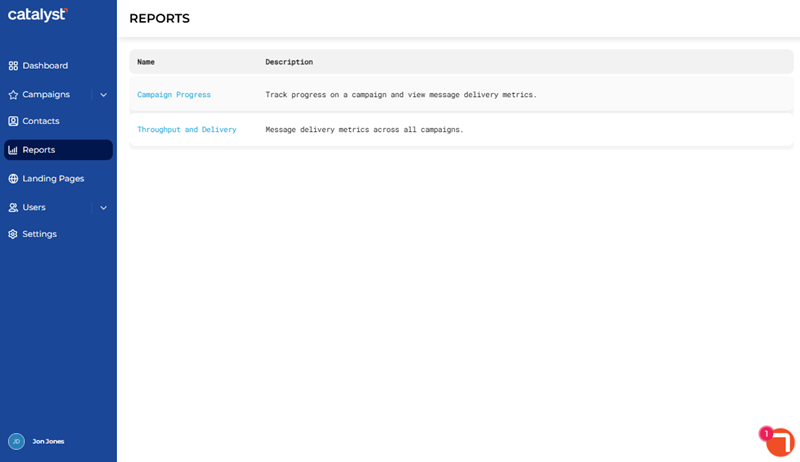
- Select Throughput and Delivery. The Throughput and Delivery panel opens.
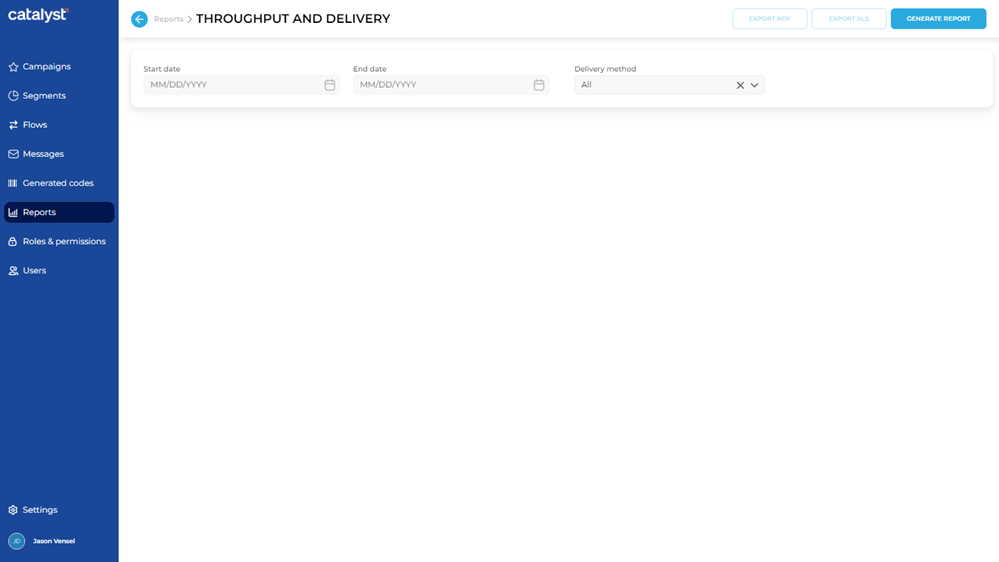
Set Time Period
Use the Start date and End date settings to generate the report of a specified date range.
- In Start date, enter the first day to include in the report in MMDDYYYY format. Note: Manually enter the date or use the provided calendar to select the date.
- In End date, enter the last day to include in the report in MMDDYYYY format. Note: Manually enter the date or use the provided calendar to select the date.
Set Delivery Type
Use the Delivery method parameter to generate the report for only SMS campaigns, only email campaigns, or both SMS and email campaigns.
- In Delivery method, select All to generate the report for both SMS and email campaigns, select SMS to generate the report for only SMS campaigns, or select Email to generate the report for only email campaigns.
Generate Report
- Select . The Throughput and Delivery panel opens the report.
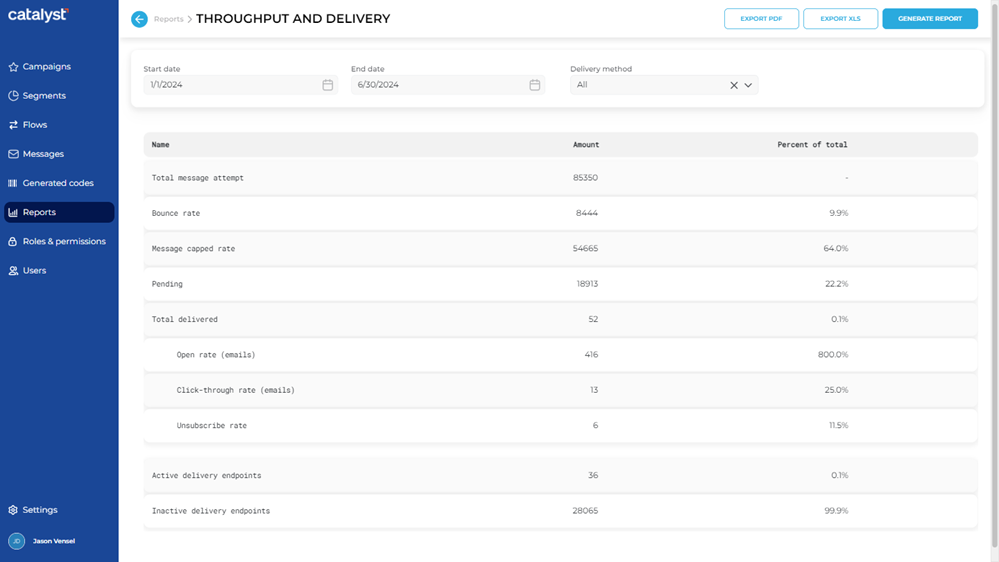
- Note: The function and function are now enabled.
Export Report
After the report is generated, the report data can be exported to a PDF (.pdf file) or XLS (.xls file).
Use the following steps to generate and download the current report in a PDF file.
- Select . The PDF file is generated and automatically downloaded to the download location configured for the web browser from which the report is generated.
- The PDF filename format is Throughput and Delivery MM_DD_YYYY.pdf, where MM_DD_YYYY is the end date of the report.
XLS
Use the following steps to generate and download the current report in an XLS file.
- Select . The XLS file is generated and automatically downloaded to the download location configured for the web browser from which the report is generated.
- The XLS filename format is Throughput and Delivery MM_DD_YYYY.xls., where MM_DD_YYYY is the end date of the report.
Updated: 081026