MESSAGE PROPERTIES
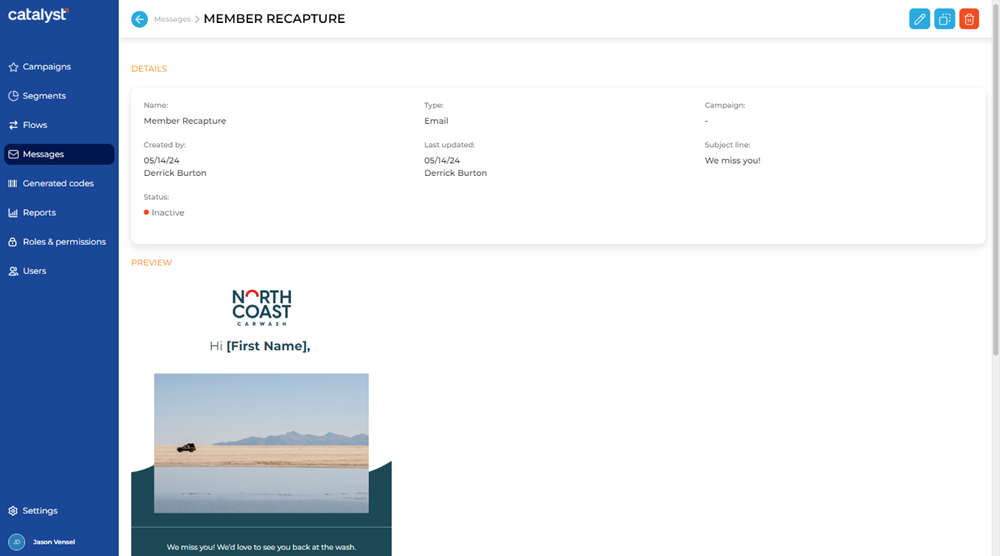
The Message Properties panel, accessible by selecting a message's name from the messages panel, provides the ability to view a message's configuration. It consists of two (2) sections: Details and Preview. The panel also includes functions to edit, duplicate, delete, or restore the message (function availability depends on the message's status).
Edit | Delete | Duplicate | Restore
The availability (and display) of these functions is dependent on the message's status.
|
Message Status |
Available Functions |
|
Active |
|
|
Archived |
|
|
Inactive |
|



Edit
The Edit function closes the Message Properties panel and opens the message in the Edit Message panel.

This function is only available for messages with a Status of Active, Archived, and Inactive.
Delete
The Delete function deletes the message, and then closes the Message Properties panel and opens the Messages panel.

This function is only available for messages with a Status of Inactive.
Duplicate
The Duplicate function closes the Message Properties panel and opens the message in the Duplicate Message panel.

This function is only available for messages with a Status of Active, Archived, and Inactive.
Restore
The Restore function changes the Status of a message from Archived to Inactive, and then closes the Message Properties panel and opens the Messages panel.

This function is only available for messages with a Status of Archived.
DETAILS
The Details section displays the message's configuration settings.
Name
The name of the message. Select a message's name to view its configuration settings and a preview of the message in the Message Properties panel.
Type
The message's delivery method: SMS or Email.
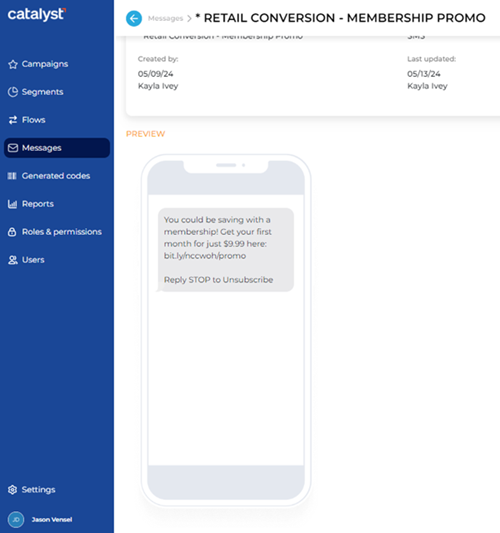
SMS
The message is designed and formatted for SMS text distribution.
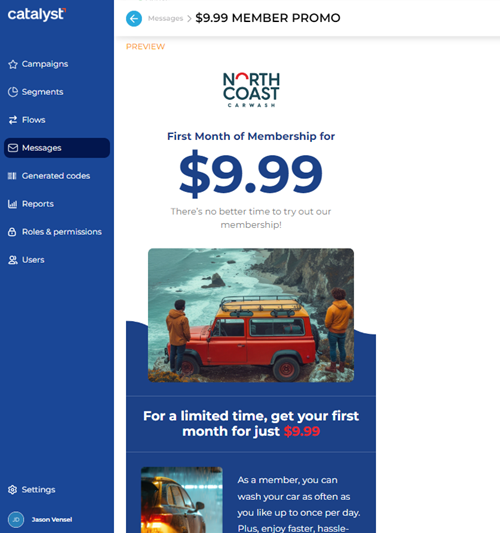
The message is designed and formatted for email distribution.
Campaign
The campaign(s), if any, to which the message is assigned. The campaign to which the message is assigned. An en dash (-) appears here if the message isn't assigned to a campaign.
Note: A message can be assigned to multiple campaigns at the same time.
Created by
The date (in mm/dd/yy format) and Catalyst user (first name and last name) who added and configured the message.
Last updated
The date (in mm/dd/yy format) and Catalyst user (first name and last name) who last modified the message.
Subject line
The configured email subject line for the message.
This property isn't displayed in the Message Properties panel for messages with a Type of SMS.
Status
The current status of the message.
Active
Archived
Inactive
PREVIEW
The Preview section displays the configured message as it'll appear for recipients. SMS and email messages are both displayed in a portrait orientation.
SMS Example
Email Example
Updated: 080124