CONTACT PROFILE (CONTACTS)
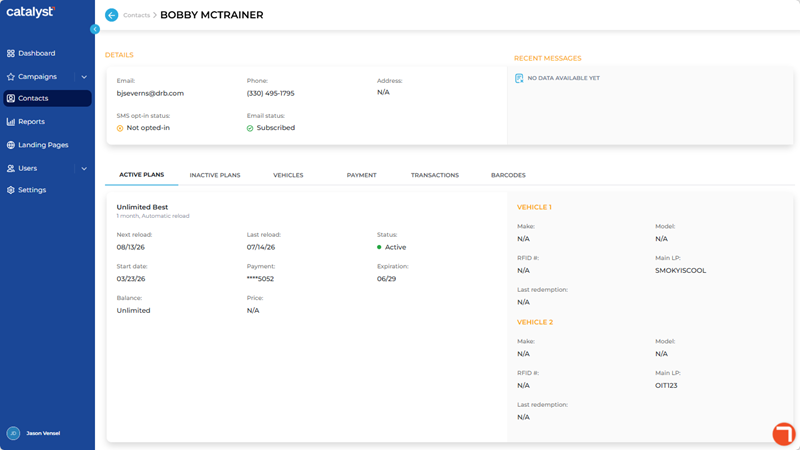
The Contact Profile panel, accessible by selecting a contact name from the CONTACTS panel, provides the ability to view information for a specific contact, including: Email address, Phone number, Address, SMS opt-in status (Not opted-in, Opted-in), Email status (Subscribed or Unsubscribed), RECENT MESSAGES, ACTIVE PLANS, INACTIVE PLANS, VEHICLES, PAYMENT, TRANSACTIONS, and BARCODES.
DETAILS
The Details section of a contact's profile provides (if available), their email address, phone number, postal address, SMS opt-in status, and email opt-in status.
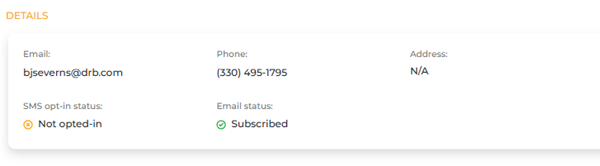
The Email information provides the contact's email address, if available.
Phone
The Phone information provides the contact's phone number, if available.
Address
The Address information provides the contact's postal address, if available.
SMS opt-in status
The SMS opt-in status information provides the contact's current SMS text message opt-in status.
- Not opted-in: The contact is not opted-in to SMS text messages.
- Subscribed: The contact is opted-in to SMS text messages.
Email status
The Email status information provides the contact's current email message opt-in status.
- Not opted-in: The contact is not opted-in to email messages.
- Subscribed: The contact is opted-in to email messages.
RECENT MESSAGES
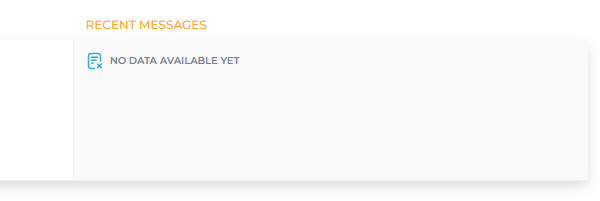
The Recent Messages section of a contact's profile provides (if available), the most recent messages that have been sent to them. Note: A NO DATA AVAILABLE YET message is displayed here.
ACTIVE PLANS
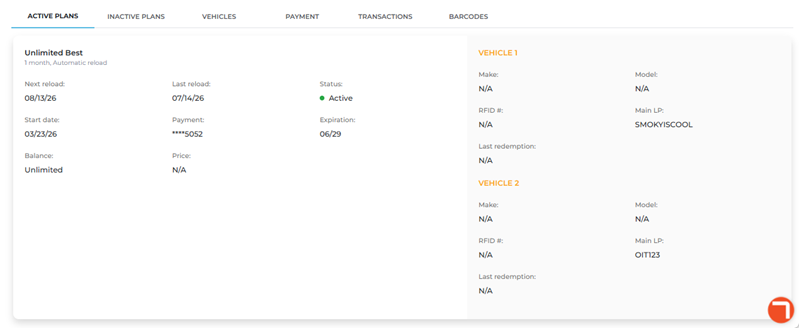
The Active PLans section of a contact's profile provides (if available),
Plan Name
The Plan Name information provides the name of the active plan.
Next reload
The Next reload information provides the date, in MM/DD/YY format, that the corresponding active plan is scheduled to be renewed.
Last reload
The Last reload information provides the date, in MM/DD/YY format, that the corresponding active plan was last renewed.
Status
The Status information provides the current status of the plan.
Start date
The Start date information provides the date, in MM/DD/YY format, that the contact joined the corresponding active plan.
Payment
The Payment information provides a masked placeholder with the last 4 digits of the credit card used to renew the corresponding plan.
Expiration
The Expiration information provides the expiration date, in MM/YY format, of the Payment credit card.
Balance
The Balance information provides the remaining units avaliable for the plan. Unlimited appears here for unlimited plans.
Price
The Price information provides the price of the plan.
VEHICLE 1
The Vehicle 1 section provides information, if available, for the make, model, RFID number, license plate, and last redemption date for the vehicle for the corresponding active plan.
Note: Additional Vehicle (2, 3, 4, etc.) sections are listed if more than one vehicle are assigned to the corresponding active plan.
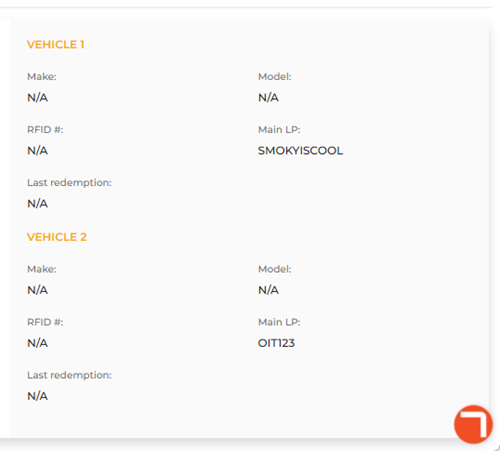
Make
The Make information provides the manufacturer of the vehicle.
Model
The Model information provides the model name of the vehicle.
RFID #
The RFID # information provides the RFID tag number, if available, for the corresponding vehicle.
N/A appears if no value is recorded for the vehicle.
Main LP
The Main LP information provides the license plate value, if available, for the corresponding vehicle.
N/A appears if no value is recorded for the vehicle.
Last Redemption
The Last Redemption information provides the date, in MM/DD/YY format, that the corresponding vehicle last used the plan.
INACTIVE PLANS
The Inactive PLans section of a contact's profile provides (if available), information about wash plans the contact used to be a member of.
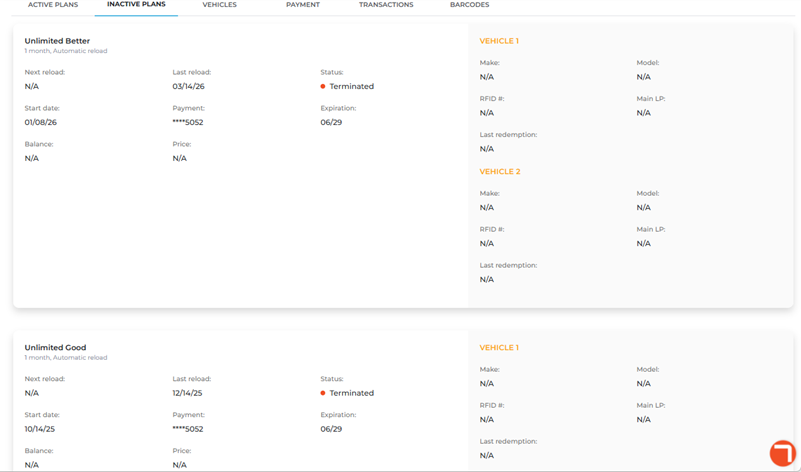
Plan Name
The Plan Name information provides the name of the inactive plan.
Next reload
The Next reload information displays N/A because inactive plans do not reload.
Last reload
The Last reload information provides the date, in MM/DD/YY format, that the corresponding inactive plan was last renewed.
Status
The Status information provides the current status of the plan, e.g., Terminated.
Start date
The Start date information provides the date, in MM/DD/YY format, that the contact joined the corresponding inactive plan.
Payment
The Payment information provides a masked placeholder with the last 4 digits of the credit card that was last used to renew the corresponding plan.
Expiration
The Expiration information provides the expiration date, in MM/YY format, of the Payment credit card.
Balance
The Balance information displays N/A because inactive plans do not have a balance.
Price
The Price information displays N/A because inactive plans do not have a price.
VEHICLE 1
The Vehicle 1 section provides information, if available, for the make, model, RFID number, license plate, and last redemption date for the vehicle for the corresponding inactive plan.
Note: Additional Vehicle (2, 3, 4, etc.) sections are listed if more than one vehicle are assigned to the corresponding active plan.
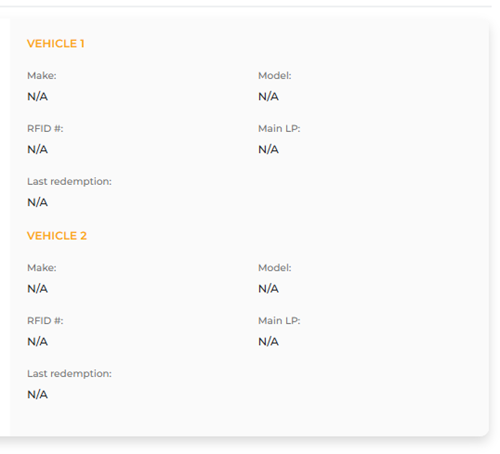
Make
The Make information provides the manufacturer of the vehicle.
Model
The Model information provides the model name of the vehicle.
RFID #
The RFID # information provides the RFID tag number, if available, for the corresponding vehicle.
N/A appears if no value is recorded for the vehicle.
Main LP
The Main LP information provides the license plate value, if available, for the corresponding vehicle.
N/A appears if no value is recorded for the vehicle.
Last Redemption
The Last Redemption information provides the date, in MM/DD/YY format, that the corresponding vehicle last used the plan.
VEHICLES
The Vehicles section of a contact's profile provides (if available),
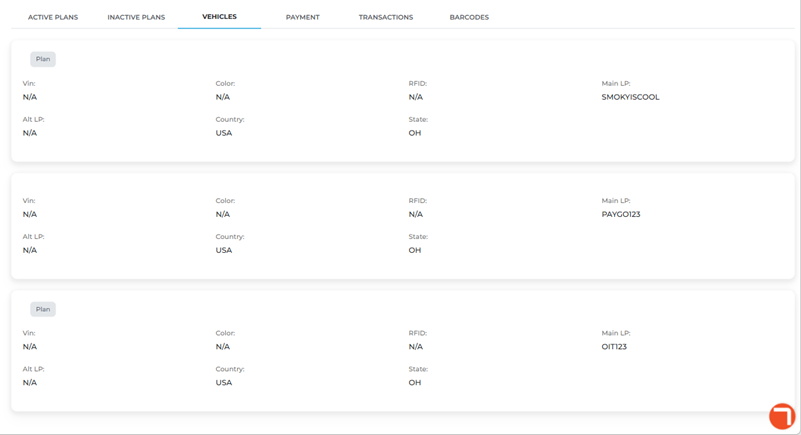
Plan
The gray Plan tag is applied to any vehicle that belongs to a wash plan.

Vin
The Vin information provides the vehicle identification number, if available, for the corresponding vehicle.
N/A appears if no value is recorded for the vehicle.
Color
The Color information provides the exterior color, if available, for the corresponding vehicle.
N/A appears if no value is recorded for the vehicle.
RFID
The RFID information provides the RFID tag number, if available, for the corresponding vehicle.
N/A appears if no value is recorded for the vehicle.
Main LP
The Main LP information provides the license plate value, if available, for the corresponding vehicle.
N/A appears if no value is recorded for the vehicle.
Alt LP
The Alt LP information provides the alternative license plate value, if available, for the corresponding vehicle.
N/A appears if no value is recorded for the vehicle.
Country
The Country information provides the country, if available, for the corresponding vehicle.
N/A appears if no value is recorded for the vehicle.
State
The State information provides the state abbreviation, if available, for the corresponding vehicle.
N/A appears if no value is recorded for the vehicle.
PAYMENT
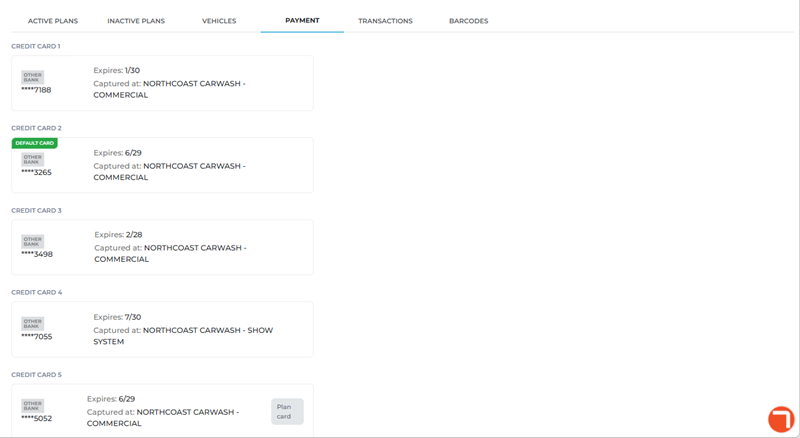
The Payment section of a contact's profile provides (if available), provides information for each credit card saved for the contact. Each credit card includes its
DEFAULT CARD
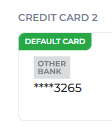
A green DEFAULT CARD tag is applied to the credit card designated as the contact's default credit card.
****4321
A masked placeholder with the last 4 digits of the credit card are displayed to help identify each saved card.
Expires
The Expires information provides the card's month and year expiration date.
Captured at
The Captured at information provides the site where the card was saved.
Plan Card
A gray Plan Card tag is applied any credit card used to renew a plan.
TRANSACTIONS
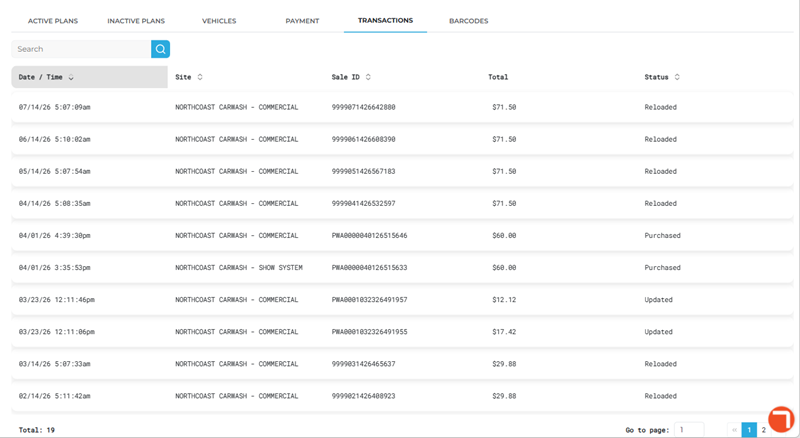
The Transactions section of a contact's profile provides (if available), a list of all transactions recorded for the contact. Each transaction includes its date/time, site, sale ID, total amount, and transaction status.
Search
The Search function provides the ability to locate a sale or group of sales from the list, based on site or sale ID.
Important: The transactions Search function works for Site and Sale ID, and the search input can be partial or full.
Date / Time
The Date / Time information provides the date and time, in MM/DD/YY HH:MM am/pm format, that a transaction
Site
The Site information provides the name of the site where the transaction occurred.
Note: The transactions Search function can be used to look up a sale from the list, using all or part of the site name.
Sale ID
The Sale ID information provides the Patheon sales identification value assigned to the sale when it was recorded.
Note: The transactions Search function can be used to look up a sale from the list, using all or part of the sale ID.
Total
The Total information provides the sale amount received from the customer for the transaction.
Status
The Status information identifies the transaction type, for example, plan purchase, retail purchase, plan renewal, or plan update.
Plan Purchased
A Plan Purchased sales status indicates the transaction was a new wash plan sale.
Purchased
A Purchased sales status indicates the transaction was a retail sale.
Reloaded
A Reloaded sales status indicates the transaction was an existing wash plan renewal.
Updated
An Updated sales status indicates the transaction was a change to an existing wash plan sale.
Total (Transactions in List)
The Total transactions value at the bottom of the transactions list provides the number of transactions displayed. When the Transactions section first opens, it provides the total number of all transactions available in Catalyst for the contact.
Note: The value updates if the search function is used, to display the number of transactions returned by the search.

List Navigation Tools
The list navigation tools at the bottom of the panel provide the ability to navigate the list of transactions.
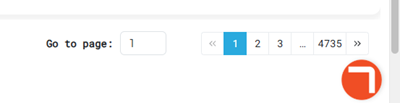
- Use the Go to page function to open a specific page by entering it in the provided field.
- Use the numeric page functions to navigate one page at a time.
- Use the last page >> and first page << functions to navigate to the end or start of the list.
BARCODES
The Barcodes section of a contact's profile provides (if available),
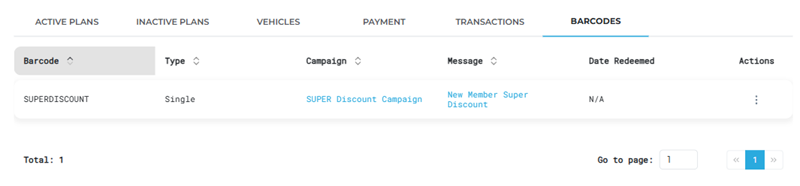
Barcode
The Barcode information provides the name of the barcode distributed for the corresponding campaign.
Type
The Type information identifies whether the barcode is a single barcode or part of a batch of barcodes.
Campaign
The Campaign provides the name of the campaign that provided the corresponding barcode, formatted as a navigation link that will open the campaign in the Campaigns panel when selected.
Message
The Message provides the name of the message that provided the corresponding barcode, formatted as a navigation link that will open the message in the Messages panel when selected.
Date Redeemed
The Date Redeemed information provides the date the contact used the barcode. N/A appears here if the contact hasn't used the barcode.
Actions
The Actions function opens a menu, where the barcode can be viewed or downloaded.
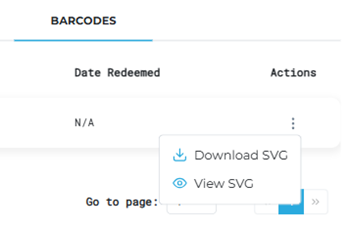
Download SVG
The Download SVG action immediately begins to download an SVG image file of the barcode to the download location configured for the user's web browser.
The filename format of the download is barcode-SUPERDISCOUNT.svg, where SUPERDSCOUNT is the name of the barcode.
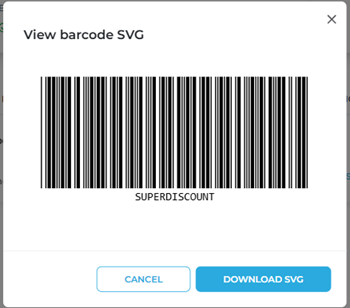
View SVG
The View SVG action opens a View barcode SVG dialog with a preview image of the barcode. The dialog includes functions to close () the dialog or download an SVG image file of the barcode ().
Total (Barcodes in List)
The Total value at the bottom of the barcodes list provides the number of barcodes sent to the contact.
List Navigation Tools
The list navigation tools at the bottom of the panel provide the ability to navigate the list of barcodes.
- Use the Go to page function to open a specific page by entering it in the provided field.
- Use the numeric page functions to navigate one page at a time.
- Use the last page >> and first page << functions to navigate to the end or start of the list.
Updated: 081026